“Tech neck” is a modern epidemic. If you find yourself rubbing the back of your neck after a long day of working on your laptop or scrolling on your phone, you have it.
When you look down at a screen, the effective weight of your head increases from 10-12 lbs to over 50 lbs, placing massive strain on your cervical spine. Here are 5 actionable ways to fix tech neck and eliminate the pain.
1. Raise Your Monitor to Eye Level
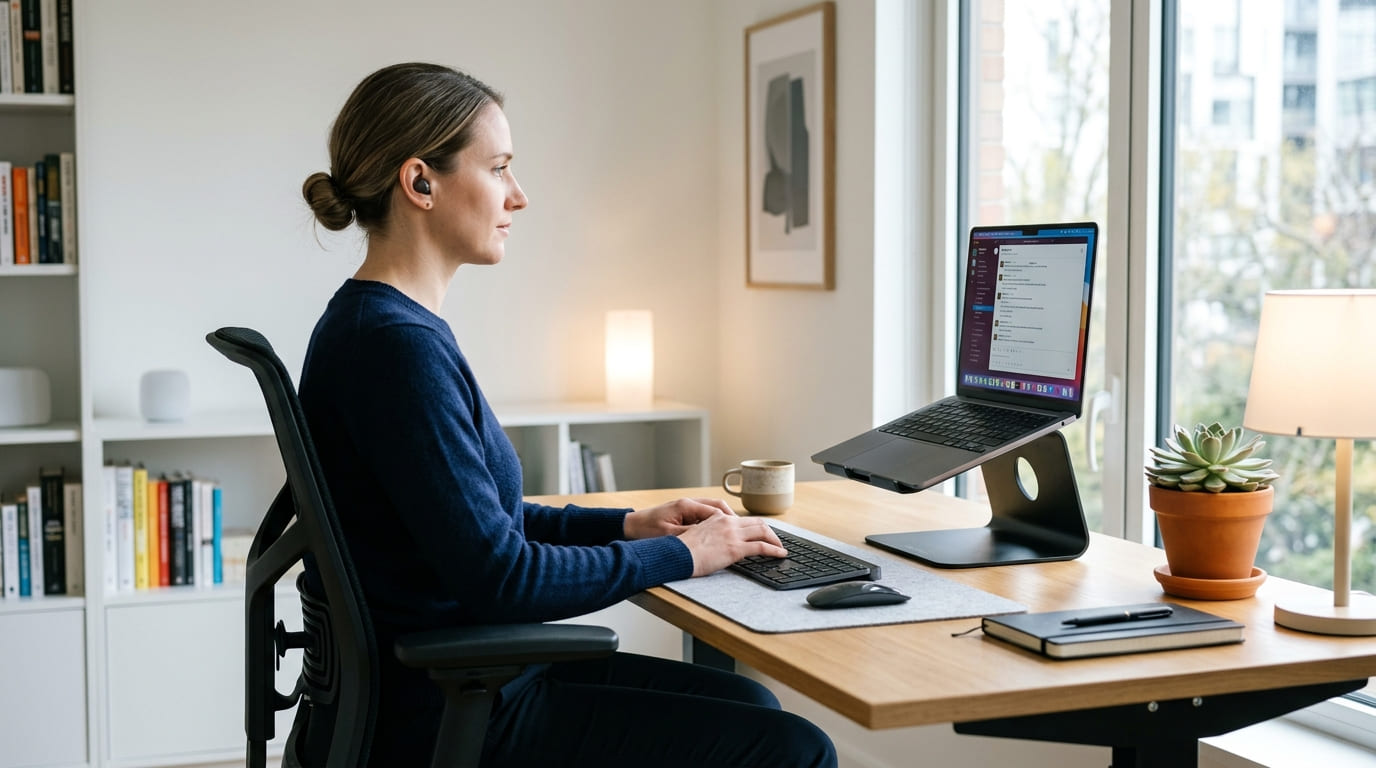
The number one cause of tech neck is looking down. Whether you are using a laptop or a desktop, the top of your screen should be exactly at eye level.
- Use a laptop stand or stack some books under your laptop.
- Use a monitor arm to adjust your screen height perfectly.
2. Push Your Shoulders Back (Or Get Help)
When you slouch, your shoulders roll forward, which forces your neck to jut out. You must actively pull your shoulder blades together. If you struggle to remember, wearing a posture corrector brace for 1-2 hours a day can train your muscles to stay in this position naturally.
3. Practice the “Chin Tuck” Exercise
You can do this simple exercise while sitting at your desk:
- Look straight ahead.
- Place two fingers on your chin.
- Gently push your chin straight back (giving yourself a double chin).
- Hold for 5 seconds and release. Repeat 10 times. This strengthens the deep muscles in your neck and counteracts the forward head posture.
4. Take the “20-20-20” Break
Staring intently at a screen causes you to lean forward unconsciously. Every 20 minutes, look at an object 20 feet away for 20 seconds. This relaxes your eye muscles and naturally pulls your posture back into alignment.
5. Upgrade Your Chair
A chair with no neck or lumbar support will eventually force you to slouch. Invest in a high-back ergonomic chair with an adjustable headrest. When you lean back to think or take a phone call, your neck should be fully supported.